Solo project · Electronics class · KiCad
Custom PCB — Reaction Time Game
What it is
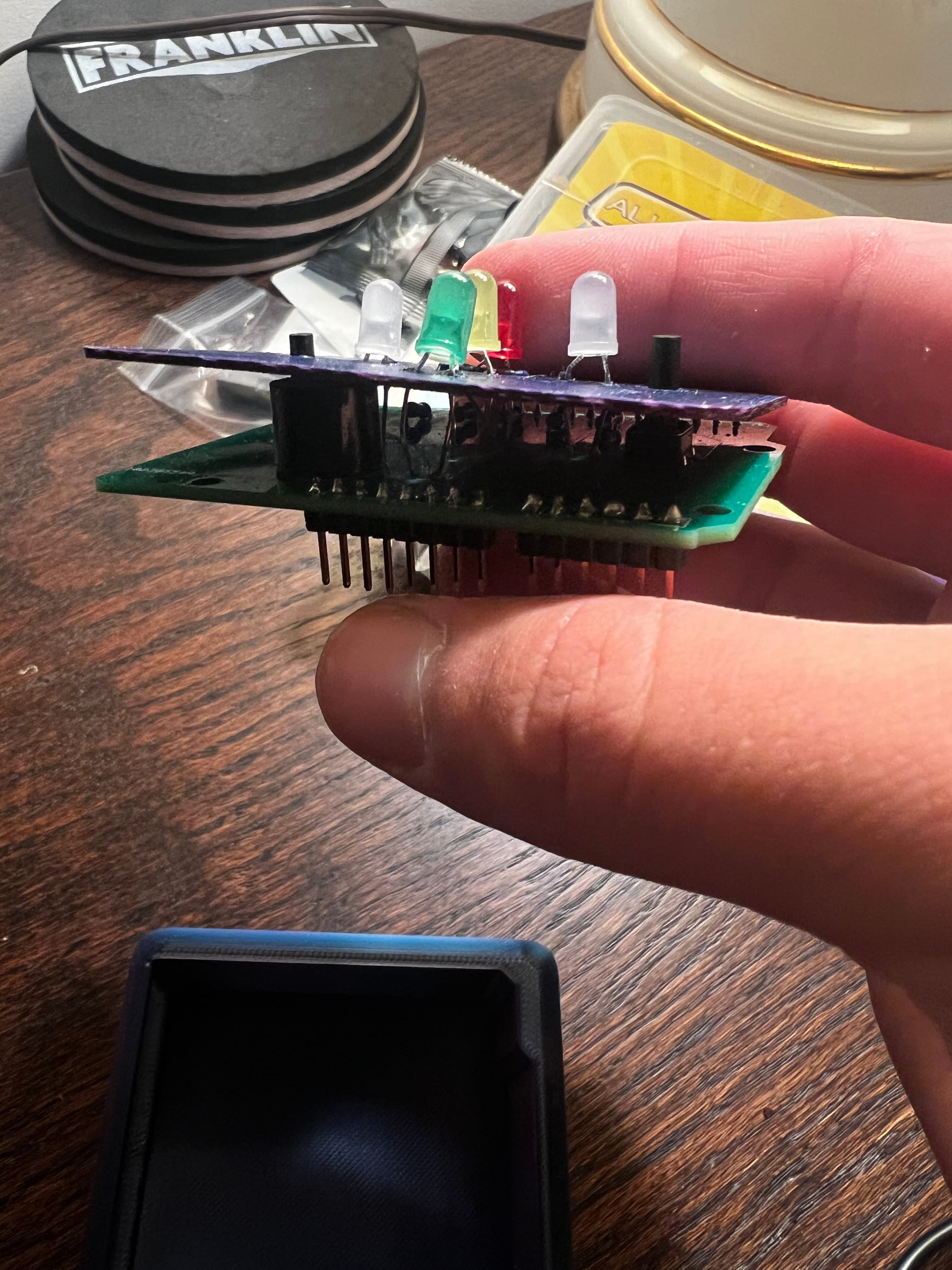
A two-player reaction time game on a custom-designed PCB. A white LED lights up at a random interval, and whoever presses their button first wins. The winner's color LED lights up. A buzzer sounds. Reset and go again.
The point wasn't the game. The point was going from schematic to physical board — learning KiCad, laying out traces, sending Gerbers to a fab, and soldering it by hand.
How it was built
PCB layout — KiCad
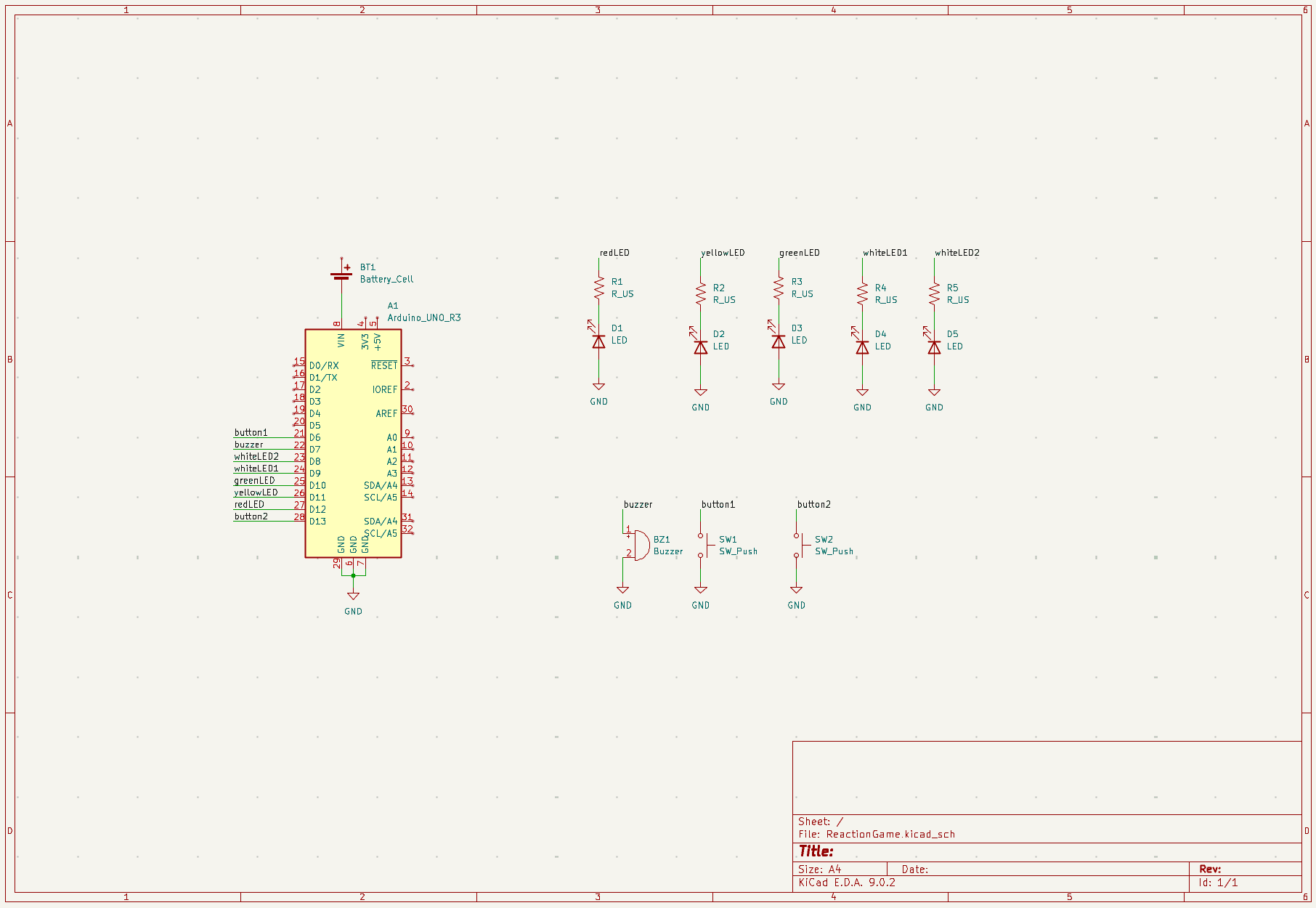
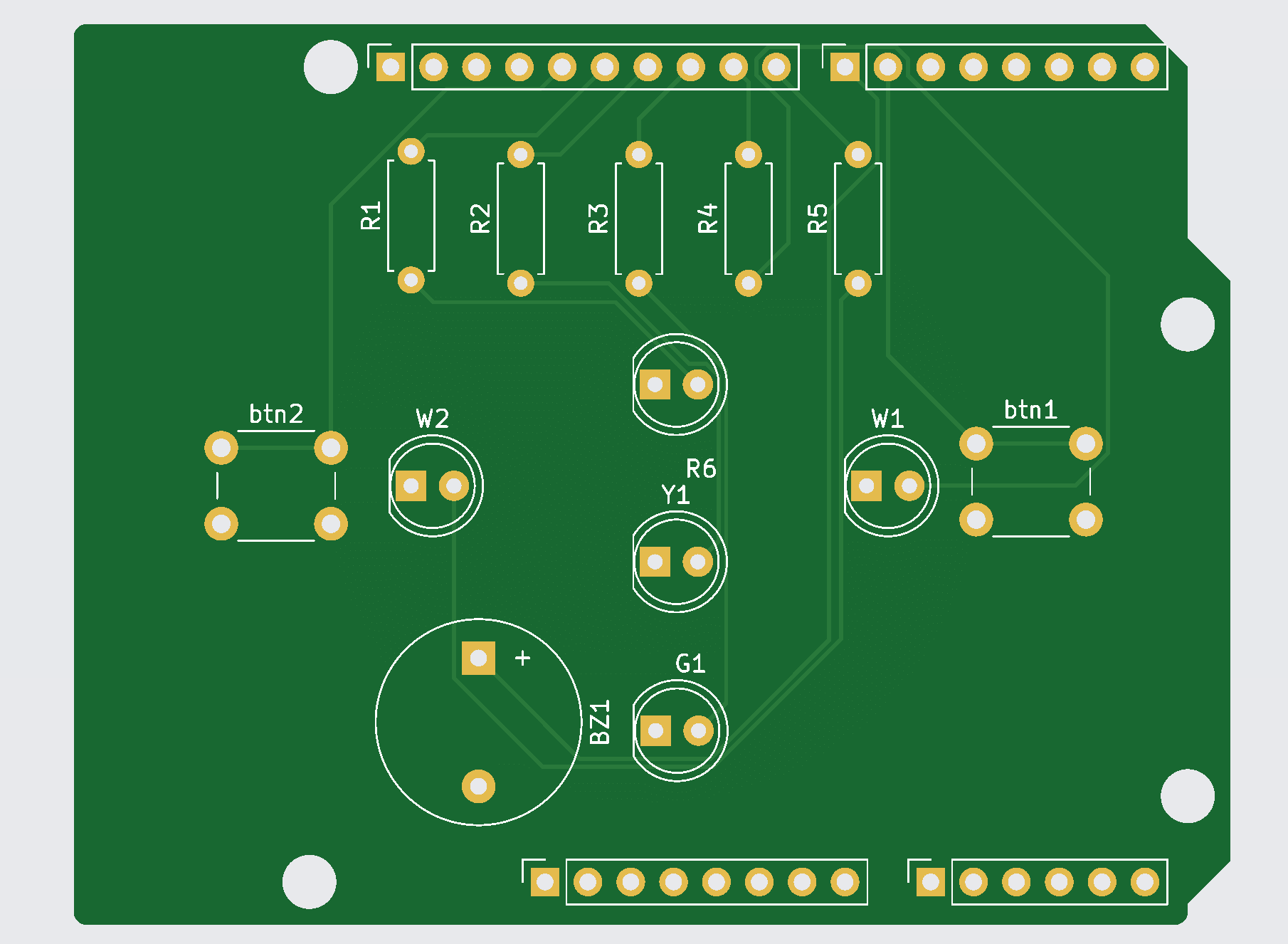
Designed entirely in KiCad. The schematic has an Arduino Uno, five LEDs with current-limiting resistors, a buzzer, and two push buttons. Once the schematic was right, I laid out the PCB. I placed components, routed traces, and set clearances, then sent the Gerber files to JLCPCB for fabrication.
Breadboard prototype — before the PCB.
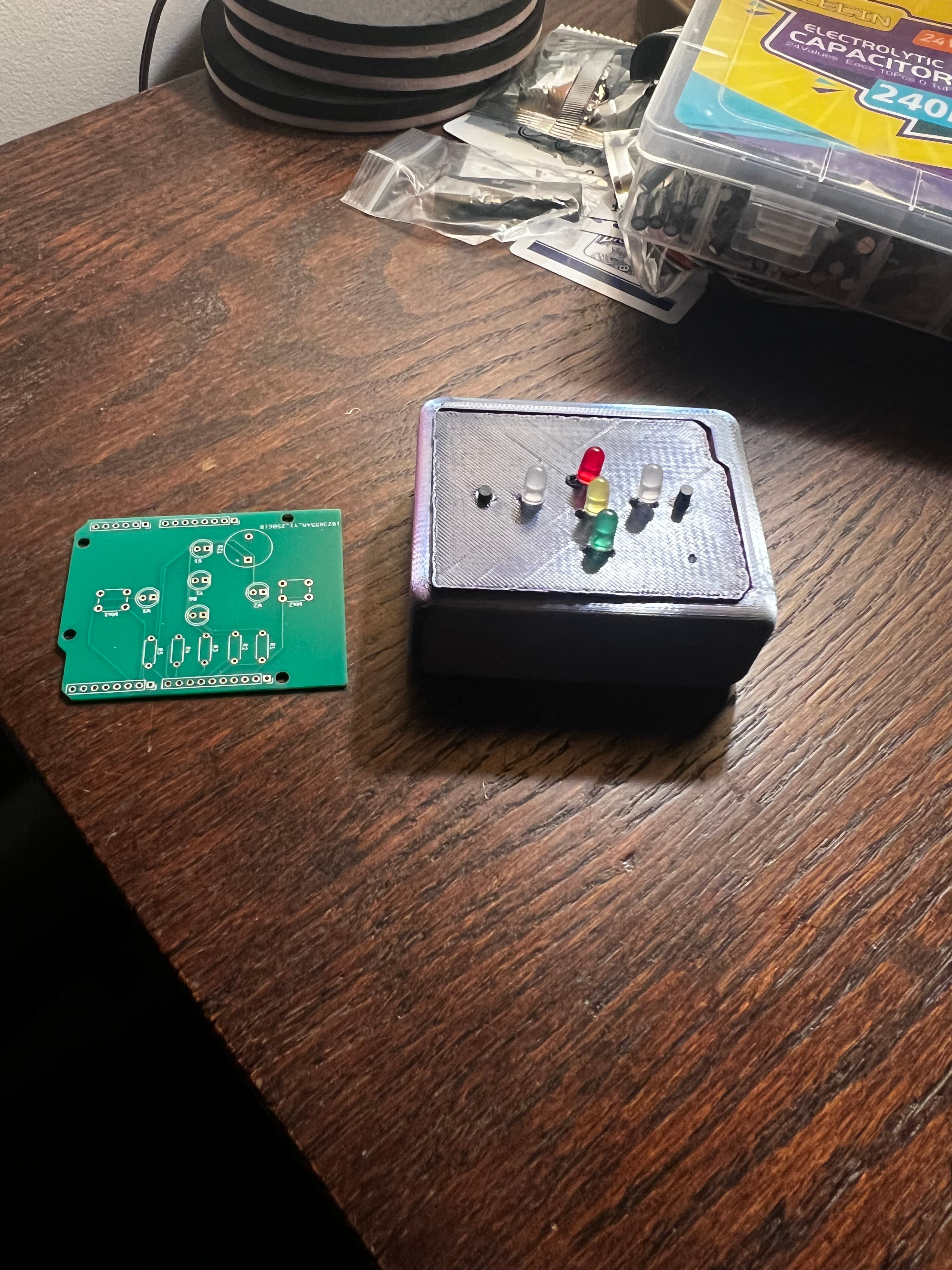
The boards came back, I soldered everything by hand, and it worked first try. I connected the Arduino externally rather than burning the firmware directly onto the board, which is something I would like to learn in a future project.